Overview
A license or subscription is required to enable a fully-functional product.
GFI Product licenses are purchased from the GFI Accounts Portal through a GFI reseller. Purchasing from a reseller has several advantages:
- Local support and advice from the technical and sales perspective.
- Assistance with installation, configuration and supported by trained and certified professionals.
- Access to helpful documents such as reference accounts, pricing guides, product literature, and detailed specification.
Selecting a Partner
All GFI customers need to have their accounts associated with a GFI Partner. If you are a new client you are requested to choose a partner. The partner can be changed at a later stage by contacting another partner.
Step-By-Step Guide
To choose a partner
- Navigate to the Partner Portal.
- Copy the email address of the partner you choose.
When you start the shopping cart for the first time you are requested to enter the email address of your partner.
Buying a new GFI product using the GFI Accounts Portal
- Login to the GFI Accounts Portal.
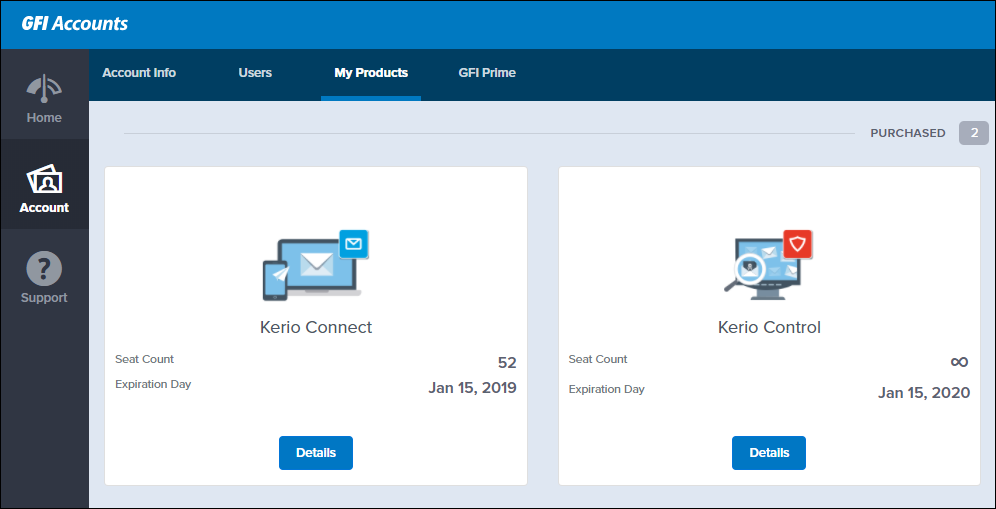
- Go to Account > My Products.
- Click Details next to the product in which you are interested.
- Click Purchase.
- Select the product. This option is only available when a product has two different versions. For example, Kerio Control has hardware and a software package version. Select an option and click Next.
- The first time you use the shopping cart you need to choose a partner. Click Add partner. Enter the email address of the partner and click Save.
- Check the Preferred term. The options are one, two or three years.
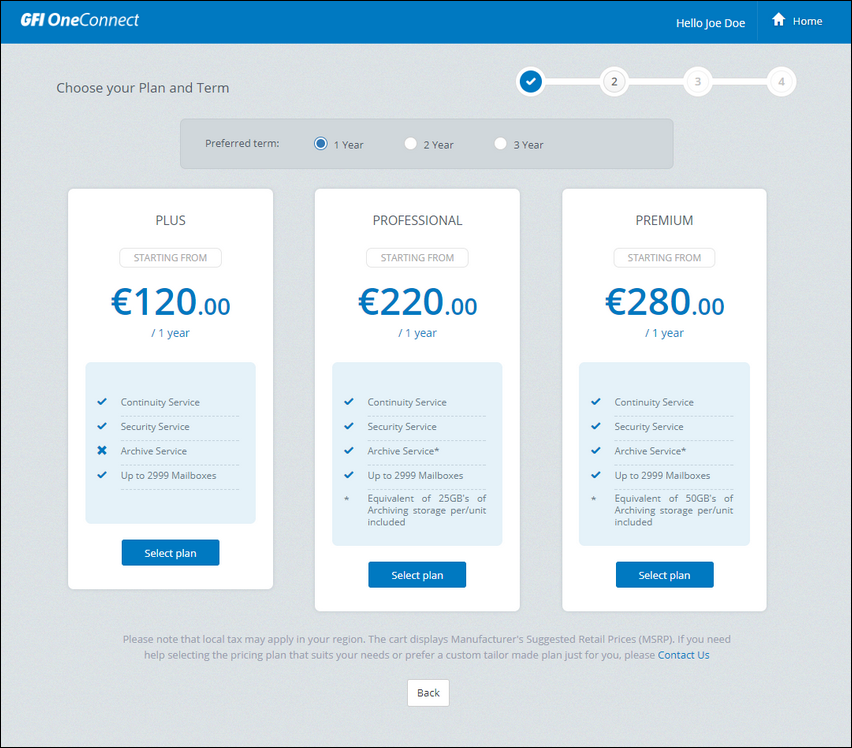
Plan available for the product selected
- Select one of the plans available by clicking Select Plan. The plans may vary according to the product.
- Revise your Payment Summary and click Proceed to checkout.
- Your order will be submitted to the partner selected in step 6. You can enter an additional message to the partner on the text box.
- Click Submit.
Confirmation
Once the purchase process is completed by the GFI Partner, you will receive a notification email.
Priyanka Bhotika
Comments